





Hosted service
Launching in the coming months
ID-DIGITIZER online
Runs as a managed cloud service, so there's nothing to install on your side. Request a demo today to see it on your own documents.
Request a demo
AI-powered document digitalisation and data extraction
ID-DIGITIZER analyses PDF documents, automatically recognises document sections and field meanings, and converts the content into structured, machine-readable data.
Local deployment is available today. Self-service online access is launching in the coming months. Request a demo now to see it on your own documents.
| Description | Qty | Amount |
|---|---|---|
| Enterprise License | 1 | 4,500.00 |
| API Integration Module | 2 | 1,200.00 |
// Structured output appears here...Intelligent document processing
Traditional OCR can recognise characters. ID-DIGITIZER goes further by analysing the document structure and context, allowing it to understand what a value represents rather than only where it appears.
Headers, addresses, references, dates, values and other document areas are identified dynamically. The layout can change from one document to the next: ID-DIGITIZER uses meaning and context instead of requiring a fixed coordinate template for every supplier or form.
When a downstream workflow requires specific outputs, you can define the fields and data types to be returned. The system then finds the matching information automatically and provides a structured result ready for the next process step.

Flexible deployment
Run ID-DIGITIZER on your own infrastructure today when PDF documents and extracted data must remain inside your company, or as a cloud-hosted service. Self-service access is launching in the coming months.
Hosted service
Launching in the coming months
Runs as a managed cloud service, so there's nothing to install on your side. Request a demo today to see it on your own documents.
Request a demoLocal deployment
Run the same document-understanding workflow locally on your own infrastructure, without an internet connection. PDF documents, processing and extracted data remain within your company environment.
Discuss local deploymentDocument to data workflow
The workflow stays simple for the user while the AI analyses document structure, identifies sections and fields, and prepares a structured result in the background.

Upload a PDF document.

AI analyses the document structure, sections and context.
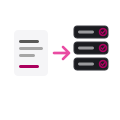
Relevant values are recognised and assigned to structured fields.
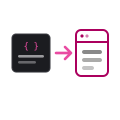
Use the result as JSON or pass it to another application.
Key benefits
ID-DIGITIZER connects document understanding with the systems that need the information.
Process digitally generated and scanned PDFs within one consistent workflow.
Recognise document sections, labels and values dynamically without relying on fixed page coordinates.
Turn document content into machine-readable values for downstream software and automated processes.
Interpret a value using its label, surrounding content and document context rather than a fixed page position.
Every value is checked against its expected type (a date must be a date, an amount a number), catching obvious errors early.
Connect extracted data to ERP, WMS, DMS, databases or purpose-built business applications.
Typical documents
Process different document types and changing layouts without creating a separate fixed template for every version.
Whether it is the digitalisation of delivery notes arriving from a supplier, the digitalisation of documents such as invoices and purchase orders, or the digitalisation of certificates and compliance records, ID-DIGITIZER applies the same dynamic understanding, with no template to rebuild when a layout changes.
System integration
The extracted values can be represented as structured JSON, allowing ID-DIGITIZER to become the document-understanding layer between incoming paperwork and your business software.
{
  "documentType": "invoice",
  "invoiceNumber": "INV-2026-0417",
  "invoiceDate": "2026-08-03",
  "customer": "Example Industries AG",
  "orderNumber": "PO-55321",
  "totalAmount": 1250.00,
  "currency": "CHF"
}
Why AI document understanding?
Classic OCR remains useful for recognising characters. ID-DIGITIZER adds a configurable understanding layer that associates recognised content with its business meaning.
Frequently asked questions
Intelligent document processing, often abbreviated as IDP, combines document capture, text recognition and AI-based understanding to turn unstructured documents into structured information that software can use.
Yes. The digitalisation of delivery notes, purchase documents and certificates is one of the most common ID-DIGITIZER use cases. The system reads the PDF, including scanned copies, recognises the relevant sections and values by context, and returns them as structured data, even when different suppliers use different layouts.
ID-DIGITIZER processes PDF documents, including scanned PDFs. Typical applications include invoices, delivery notes, orders, packing lists, reports, forms and certificates. It analyses each document dynamically, even when layouts vary.
No. ID-DIGITIZER analyses each document dynamically and recognises sections, labels and values by meaning and context rather than by fixed page coordinates. Different layouts can therefore be processed without creating a separate template for every supplier or document version. For automated integrations, you can optionally define which fields and data types should be returned.
Yes. The extracted information can be represented as structured JSON and integrated into ERP, WMS, DMS, MES, databases or custom software according to the project interface.
Yes. ID-DIGITIZER can be provided as a local deployment running on your own infrastructure, available today. It operates without an internet connection, so PDF documents, processing and extracted data remain within your company environment. Contact ID-Systems to define the suitable local architecture and integration.
Yes. Contact us and we'll arrange a demo using your own PDF documents, so you can see the extracted result before deciding how to proceed.
Contact ID-Systems to arrange a demo. Local deployment is available today; self-service online access is launching in the coming months. We'll help you find the right fit and support integration into ERP, WMS, DMS, databases or custom software.
Contact us to arrange a demo with your own PDF documents. Local deployment is available today, running without internet access and keeping documents and extracted data within your company environment. Self-service online access is launching in the coming months.